

Appearance
Customers
Track and manage customers who have signed up through your Dropify® countdown page.
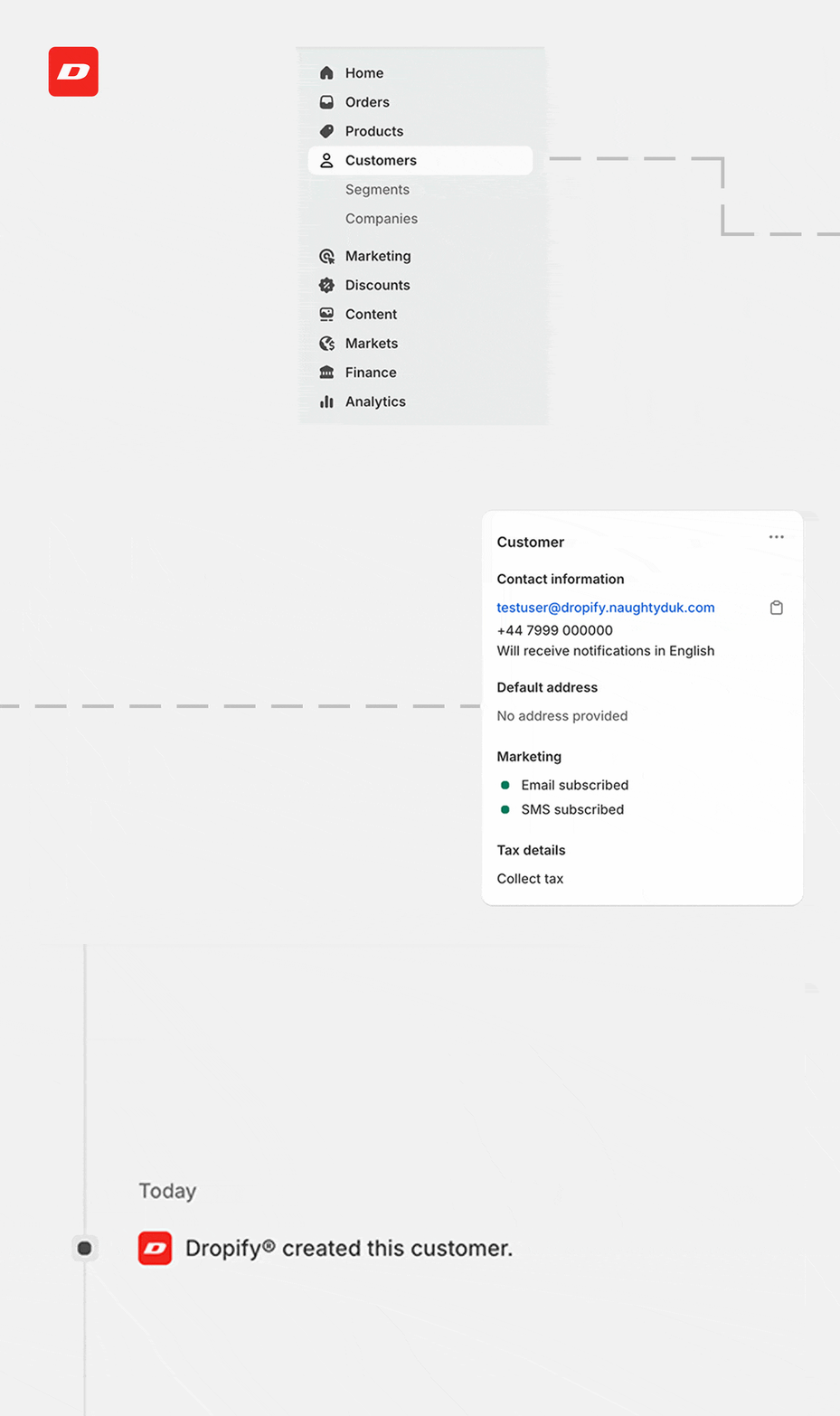
Customer Data Collection
All customer information collected through your countdown page is automatically integrated into Shopify's native customer system.
Data Captured
- Email Address: Optional field if enabled in Design settings
- Phone Number: Optional field if enabled in Design settings
- Submission Date: Automatically tracked
- Source: Tagged as "Dropify" for easy identification
INFO
It is recommended to enable at least one capture field for best results.
Marketing Preferences
Customers are automatically opted into marketing communications:
- Email Marketing: Single opt-in for email updates
- SMS Marketing: Enabled when phone numbers are collected
- Customer Tags: All customers are tagged with "Dropify"
Customer Management
Viewing Customer Data
All Dropify® customers appear in your standard Shopify customer list:
- Go to Customers in your Shopify admin
- Filter by tag "Dropify" to see only countdown page signups
- View individual customer profiles for complete information
Export Options
Customer data can be exported using Shopify's standard export functionality:
- Full Export: All customer data including Dropify® signups
- Filtered Export: Export only customers with "Dropify" tag
- Custom Fields: Include submission dates and source information
Marketing Integration
Email Campaigns
Use collected email addresses for:
- Launch notifications when countdown ends
- Follow-up campaigns for future drops
- General marketing communications
- Abandoned cart recovery (if applicable)
SMS Marketing
When phone numbers are collected we recommend:
- Immediate drop notifications via text
- Time-sensitive promotional offers
- Exclusive access alerts
- Restocks and new product announcements
Best Practice
Send launch notifications within 5 minutes of your countdown ending. This immediate communication maximizes conversion rates from interested customers.
Segmentation
Customers creeated by Dropify® can be segmented for targeted campaigns:
- By Collection Date: Target based on when they signed up
- By Location: Use phone number country codes for geo-targeting
- By Engagement: Track email opens and SMS responses
- By Purchase History: Identify repeat customers vs new acquisitions
Analytics & Reporting
Conversion Tracking
Monitor the effectiveness of your countdown campaigns:
- Signup Rate: Visitors who submit the form
- Email Deliverability: Successful email sends
- SMS Delivery: Successful text message delivery
- Purchase Conversion: Customers who buy after drop launch
Integration with Shopify Analytics
Dropify® customer data integrates with Shopify's reporting:
- Customer Acquisition Reports: Track Dropify® as a source
- Marketing Performance: Measure ROI from countdown campaigns
- Lifetime Value: Compare Dropify® customers to other segments